
Kittl: review, pricing and alternatives
What is Kittl AI?
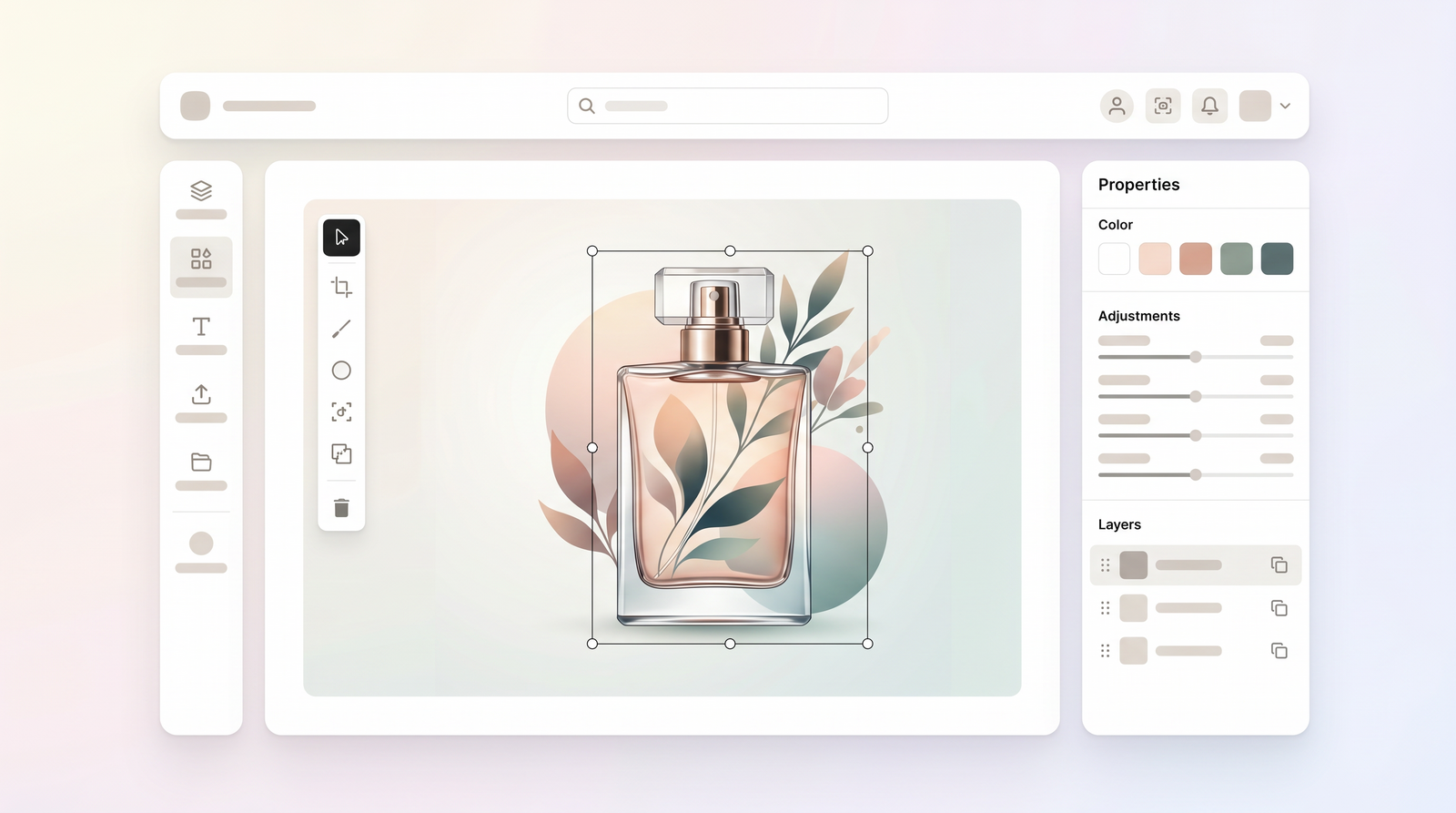
When I first encountered Kittl, I was immediately struck by its promise as a browser-based design platform built with creators in mind. Launched in 2020, initially under the name 'Heritage Type' with a focus on vintage typography, it has since evolved significantly into what is now Kittl AI. Its core purpose, as I understand it, is to bridge the gap between creative ideas and polished, print-ready assets, offering a more streamlined experience than traditional, often complex, design software.
At its heart, Kittl positions itself as an AI-first design platform. This means that while it provides robust manual editing tools, a significant portion of its workflow is augmented by artificial intelligence, particularly in areas like image generation and effect application. It's not just a simple drag-and-drop editor; it aims to empower users to create high-quality designs quickly, whether for personal projects or commercial ventures.
My experience with Kittl suggests it's designed for a specific kind of creator: someone who needs to produce professional-looking logos, merchandise designs, social media graphics, or print-on-demand products without getting bogged down in the steep learning curves of tools like Adobe Illustrator. It’s about speed, quality, and accessibility, all within your web browser. You don't need powerful local software or extensive design training to start making compelling visuals.
Ultimately, Kittl offers a comprehensive toolkit for transforming concepts into tangible designs. It provides a curated environment where creative exploration is encouraged, backed by intelligent features that simplify complex design tasks, making it a compelling option for anyone looking to produce visually striking assets efficiently.
Core Features & Capabilities
Diving into Kittl's feature set reveals where its true strengths lie. What I consistently find impressive is the blend of advanced tools with an accessible interface. At the forefront are its AI capabilities, which leverage top image generation models to help kickstart or enhance your designs. This isn't just about creating images from text prompts; it's about intelligent suggestions and effects that can transform a basic concept into something much more refined.
Beyond AI, the platform boasts a rich library of professional templates. These aren't just generic placeholders; they're high-quality, well-structured designs, particularly strong for branding, merchandise, and print applications. When I need to create a vintage logo or a T-shirt design, I find myself gravitating towards Kittl's templates because they provide an excellent foundation, saving a significant amount of time compared to starting from scratch.
One of Kittl's standout features, in my opinion, is its advanced text editing. This goes far beyond basic font selection. You get granular control over typography, including anchor point manipulation, blend modes, and a wide array of text effects that are usually the domain of more professional desktop software. This level of control is crucial for creating impactful text-based designs, which is a major draw for me. The ability to easily warp, curve, and add intricate effects to text is a game-changer for many projects.
Furthermore, Kittl offers robust vector export and high-resolution output. This is absolutely critical for anyone working on commercial projects, especially print-on-demand or physical merchandise. Knowing that my designs will scale perfectly without pixelation is a huge relief. And to top it off, the integrated mockup generation tools are incredibly useful. I can design a T-shirt or a mug and then instantly see it on a realistic mockup, which not only helps visualize the final product but also creates compelling marketing material without ever leaving the platform.
Getting Started with Kittl
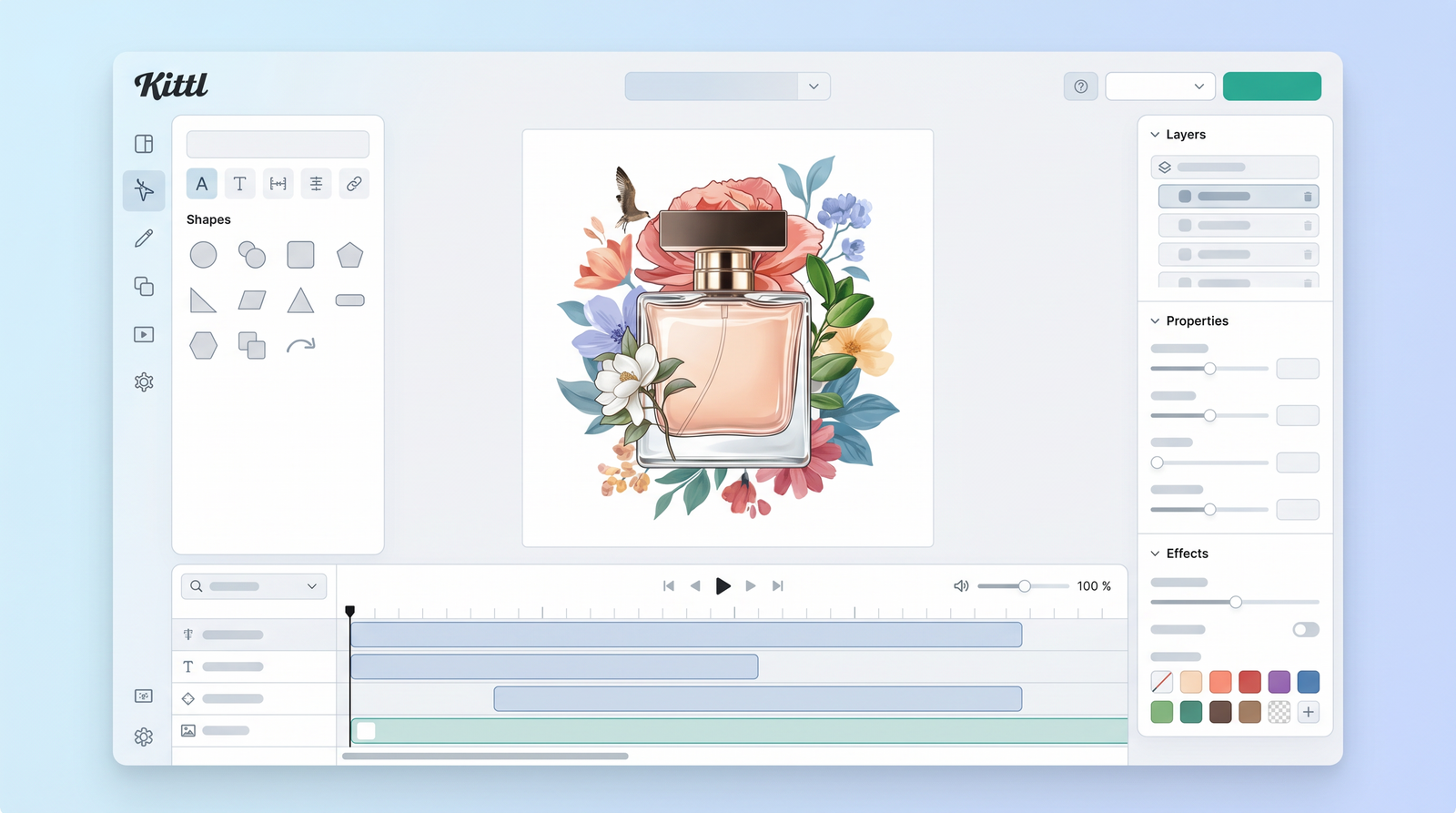
Stepping into Kittl for the first time is a surprisingly smooth experience, even if you're new to design software. The user interface is intuitive and well-organized, designed to get you creating quickly rather than getting lost in menus. When I first logged in, I was presented with a clear dashboard, offering options to start from a blank canvas or, more commonly, dive into their extensive template library. This immediate access to high-quality starting points is a major advantage for new users.
The process of customizing a template is straightforward. You select a template that catches your eye, and then everything becomes editable. Text, colors, graphics, and effects can all be tweaked with relative ease. I found that clicking on any element brings up context-sensitive editing options, making it simple to change fonts, adjust sizes, apply textures, or modify graphic elements. There’s a satisfying responsiveness to the interface that makes experimentation enjoyable, rather than a chore.
Kittl's asset library is another strong point for new users. It’s packed with fonts, illustrations, textures, and graphic elements that you can drag and drop directly into your design. This means you don't have to spend time searching for external resources; everything you need is usually right there, integrated into the platform. This curated collection is especially useful for maintaining a consistent aesthetic across your projects, as the assets often complement the style of their professional templates.
While there's always a slight learning curve with any new tool, Kittl's is remarkably gentle. The platform is designed to guide you, and I found that within a short session, I was comfortable navigating its features and making significant design changes. It's an environment that encourages playful exploration while providing the underlying power to produce serious results.
Kittl Pricing & Commercial Licensing
Understanding Kittl's pricing and licensing structure is crucial, especially if you're planning to use it for commercial purposes. Like many modern design platforms, Kittl operates on a freemium model. You can start with a free plan, which is a fantastic way to explore its capabilities and get a feel for the interface without any financial commitment. However, it's important to note that the free plan is strictly for personal use. Any designs created under the free tier cannot be used commercially, which is a significant limitation for entrepreneurs and businesses.
For those looking to monetize their creations, upgrading to a paid subscription is necessary. While specific prices can fluctuate, current information suggests that Kittl's paid tiers typically range from around $10 to $90 per month, depending on the plan level and whether you opt for monthly or annual billing. These paid plans unlock commercial use, higher resolution exports, and more advanced features, including increased AI token allowances.
A key aspect of Kittl's pricing model is its AI token system. Generating AI images or applying certain AI-powered effects consumes these tokens. While paid plans come with a generous allocation, frequent or high-volume generation can lead to additional costs if you exceed your monthly allowance. This is something I've had to keep an eye on, as AI tools can be quite addictive once you start using them regularly. It’s a powerful feature, but one that can add up if not managed consciously.
Regarding commercial licensing, paid plans generally allow you to use your designs for commercial purposes. However, there's often a cap on reproductions. For instance, many plans include a commercial use cap of 500,000 reproductions. If your business scales beyond this, you'd typically need to upgrade to a higher-tier plan, such as a Business plan, which offers expanded commercial rights and higher limits. It's always wise to review their specific licensing terms for the most up-to-date details relevant to your use case.
| Plan | Price (Approx.) | Best for |
|---|---|---|
| Free | $0 | Personal use, trying out features |
| Pro | $10-$20/month | Individuals, small projects, commercial use (limited) |
| Expert | $30-$50/month | Freelancers, small businesses, higher AI usage, more commercial rights |
| Business | $60-$90/month | Agencies, large businesses, extensive commercial use, team features |
Advantages of Using Kittl
From my hands-on experience, Kittl offers several compelling advantages that make it stand out in the crowded design software market. What I keep coming back to is the sheer quality of its templates. Unlike some platforms where templates can feel generic, Kittl's are professionally crafted, especially for niches like merchandise design, branding, and vintage aesthetics. They provide a high-quality starting point that often feels like it's already 80% of the way to a finished, polished design, saving me immense time and effort.
Another significant advantage is the advanced typography control. If you're someone who cares deeply about how text looks, Kittl is a dream. The ability to manipulate individual anchor points, apply intricate blend modes, and utilize a vast array of text effects gives you a level of creative freedom over type that is rarely found in browser-based tools. This makes it incredibly powerful for creating distinctive logos, posters, and T-shirt designs where text is a primary visual element.
The platform's commitment to vector output is another major win. For anyone needing print-ready files, knowing that your designs can be exported as scalable vectors is non-negotiable. This ensures your creations look crisp and professional at any size, from a small sticker to a large billboard, without any loss of quality. This professional-grade output is a key differentiator from many simpler online editors.
I also highly value the integrated mockup generation. Being able to design a product and then immediately visualize it on a realistic mockup within the same platform streamlines my workflow considerably. It eliminates the need to export, switch to another tool, and then re-import, which is a common hassle with other solutions. This feature alone saves a surprising amount of time and effort.
Finally, the overall ease of use cannot be overstated. Despite its powerful features, Kittl maintains an intuitive interface. The learning curve is gentle, and I found myself productive almost immediately. This combination of powerful tools and user-friendliness makes Kittl an incredibly efficient platform for designers of all skill levels.
Kittl's Disadvantages
While Kittl offers a lot to love, it's also important to acknowledge its limitations, as no tool is perfect for every scenario. The most immediate disadvantage for many users, particularly those just starting out or on a tight budget, is the free plan's personal-use restriction. While it's great for exploration, the inability to use designs created on the free tier for any commercial purpose means that anyone serious about selling their work will need to upgrade almost immediately. This can be a barrier if you're trying to bootstrap a new venture.
Another point I've had to consider is the potential cost associated with AI tokens. While the AI features are powerful and incredibly useful, they consume tokens. If you're an avid experimenter or rely heavily on AI image generation and effects, you might find yourself needing to purchase additional tokens or upgrade your plan to avoid hitting limits. This can add an unforeseen cost layer, especially if you're used to unlimited access in other design environments.
Finally, it's important to understand what Kittl isn't. It doesn't offer deep photo editing capabilities. If your workflow heavily involves intricate photo manipulation, color correction, or advanced retouching, you'll still need dedicated software like Adobe Photoshop. Kittl's strength lies in graphic design, illustration, and typography, not in comprehensive image editing. Similarly, it's not designed for creating multi-page presentations or complex video edits, areas where other platforms might excel. It's a specialized tool, and while excellent within its niche, it won't replace a full suite of general-purpose creative applications.
Who Should Use Kittl?
Based on my extensive use, Kittl is an exceptional fit for a specific demographic of creators, particularly those focused on visually driven products and branding. If you're an e-commerce creator, for example, Kittl is almost tailor-made for your needs. The platform's emphasis on clean output, strong licensing terms (with paid plans), and time-saving features makes it ideal for generating product graphics, banners, and marketing materials quickly and efficiently.
Merchandise designers will find Kittl particularly powerful. Whether you're creating designs for T-shirts, mugs, hats, or other print-on-demand items, the combination of high-quality templates, advanced text effects, and vector export capabilities ensures your designs translate beautifully to physical products. The integrated mockup tools are also a massive benefit here, allowing you to visualize and present your designs professionally.
Logo artists, especially those specializing in vintage, intricate, or typography-focused logos, will appreciate Kittl's granular control over text and its rich library of graphic elements. The ability to manipulate anchor points and apply complex effects to type allows for the creation of truly unique and memorable brand marks. It’s an environment that encourages stylistic exploration for branding purposes.
In essence, if your primary design needs revolve around strong typography, print-ready files, and visually appealing graphics for commercial use, Kittl is likely to be a highly valuable tool in your arsenal. It excels at delivering professional-grade results without the steep learning curve or complexity of traditional desktop software, making it a powerful ally for anyone looking to produce high-quality visual content efficiently.
Kittl vs. Competitors
When evaluating Kittl, it's natural to compare it with other prominent design tools in the market. The most frequent comparisons I've seen, and certainly what comes to my mind, are Canva and the Adobe suite, specifically Illustrator and Photoshop. Each has its own strengths, and Kittl carves out a distinct niche for itself.
Compared to Canva, Kittl offers a more specialized experience. Canva is the undisputed king of general-purpose design, with a vast template library for everything from social media posts to presentations, videos, and even websites. Its drag-and-drop interface is incredibly user-friendly, making it accessible to virtually anyone. However, where Canva offers breadth, Kittl offers depth, particularly in typography and vector graphic manipulation. If you want extensive control over text styling, anchor points, and blend modes for intricate designs, Kittl is the stronger option. Canva is for quick, broad content creation, while Kittl is for detailed, print-focused graphic design.
On the other end of the spectrum, we have professional tools like Adobe Illustrator and Photoshop. These are the industry standards, offering unparalleled power and flexibility for virtually any design task. However, they come with a significant learning curve and a higher price point. Kittl doesn't aim to replace the full capabilities of Illustrator or Photoshop for experienced professionals who need every advanced feature. Instead, it offers a more accessible, browser-based alternative that can achieve many professional-level results with far less effort. It's a middle ground that provides robust creative control without the complexity, making it an excellent alternative for those who find Adobe tools overwhelming or overkill for their specific needs. You can easily see how it stacks up against alternatives on Top10k.
In summary, Kittl positions itself as a powerful, user-friendly tool that excels in specific areas like typography, vector graphics, and merchandise design. It's more capable than general design tools like Canva for these specialized tasks, yet far more approachable than professional software like Adobe Illustrator. It's about finding the right tool for your specific workflow and desired outcome.
User Experience & Performance
My overall user experience with Kittl has been overwhelmingly positive, largely due to its intuitive nature and robust performance. From the moment I log in, the platform feels responsive and well-designed. The interface is clean, uncluttered, and logically laid out, which means I spend less time searching for tools and more time actually designing. This intuitiveness is a huge plus, especially for someone who might be transitioning from simpler tools or is new to graphic design entirely.
While there's always a learning curve with any new software, Kittl's is remarkably gentle. I found that basic functions were immediately apparent, and more advanced features could be discovered through natural exploration or quick tutorials. It’s not one of those programs where you feel like you need a degree in graphic design to get started; rather, it encourages experimentation and provides immediate visual feedback, making the learning process quite engaging.
In terms of performance, Kittl holds up well as a browser-based application. Designs load quickly, and editing actions, even complex ones like applying intricate text effects or manipulating vector paths, are executed with minimal lag. This responsiveness is crucial for maintaining a smooth creative flow and prevents the frustration often associated with slower web-based tools. I've used it on various browsers and devices, and it consistently delivers a stable and efficient experience.
The overall efficiency for design tasks is one of Kittl's strongest suits. The combination of pre-designed templates, a rich asset library, and powerful yet easy-to-use editing tools means I can move from an initial idea to a finished, high-quality design much faster than with many other platforms. It truly lives up to its promise of helping creators move from concept to asset with speed and control, making it a highly productive environment for focused graphic design work.
Final Verdict: Is Kittl Worth It?
After thoroughly exploring Kittl's features, pricing, and overall user experience, my final verdict is that it is absolutely worth it for its target audience. If you're an e-commerce creator, a merchandise designer, a logo artist, or anyone who frequently needs to produce high-quality, print-ready graphics with a strong emphasis on typography and vector output, Kittl offers exceptional value.
The platform excels in delivering professional-grade results without the steep learning curve or the financial investment required for traditional desktop design software. Its curated templates, advanced text editing capabilities, integrated mockups, and reliable vector exports are compelling reasons to choose Kittl over more generalized design tools. The time savings alone, especially for those in the print-on-demand or branding space, can quickly justify the subscription cost.
However, it's important to reiterate that Kittl isn't a universal solution. If your primary needs involve deep photo manipulation, multi-page document creation, or extensive video editing, you'll still need to look elsewhere. Similarly, while the free plan is great for testing, serious commercial users will need to factor in the cost of a paid subscription and potentially monitor AI token usage.
For those whose creative workflows align with Kittl's strengths, particularly if you value efficiency, high-quality output, and a more approachable interface than industry-standard professional tools, then investing in Kittl will likely prove to be a wise decision. It’s a powerful, specialized tool that consistently delivers on its promise to empower creators.
Full profile and live ranking: https://top10k.com/ai/kittl
Published by

Discover Top10k Tools — a suite of online utilities featuring a wide range of free utilities created to make daily work easier.
The platform covers everything from SEO and coding to file converters, image tools, and handy calculators. Everything works directly online, so you can start in seconds.
Our mission is building 10,000 free mini tools for work, study, and daily life.
Whether you're a marketer, developer, student, or business owner, Top10k Tools has something useful. Jump in and start exploring.
Frequently asked questions
What are the pricing options for Kittl, and what do they include?
Kittl offers a free plan for personal use, which is great for trying out the platform. Paid subscription tiers typically range from approximately $10 to $90 per month, depending on the plan level and billing cycle. These paid plans unlock commercial use, higher resolution exports, more advanced features, and increased AI token allowances for generating AI images and effects.
Can I use Kittl for commercial projects on the free plan?
No, the free plan for Kittl is strictly for personal use. Any designs created under the free tier are not licensed for commercial purposes. To use your creations for selling merchandise, client work, or any other commercial venture, you will need to upgrade to a paid subscription plan.
How does Kittl compare to alternatives like Canva and Adobe Illustrator?
Kittl offers a specialized approach compared to its competitors. It provides more advanced typography control and vector graphic manipulation than general design tools like Canva, making it stronger for intricate logos, merchandise, and print designs. While not as comprehensive as Adobe Illustrator or Photoshop, Kittl is significantly more user-friendly and browser-based, offering professional results without the steep learning curve of Adobe's desktop software.
Is Kittl difficult to learn for new designers?
Kittl boasts a remarkably gentle learning curve. Its intuitive user interface, clear layout, and extensive library of high-quality templates make it easy for new designers to get started quickly. Most users find they can navigate the platform and create compelling designs with minimal prior experience, fostering a positive and efficient design process.
What are AI tokens in Kittl, and do they cost extra?
AI tokens in Kittl are used for generating AI images and applying certain AI-powered effects within your designs. Paid plans come with a specific allocation of these tokens. If you frequently use AI features and exceed your monthly allowance, you may need to purchase additional tokens or upgrade to a higher-tier plan, which can add to the overall cost.
Who is Kittl best suited for?
Kittl is ideally suited for e-commerce creators, merchandise designers, logo artists, and anyone needing high-quality, print-ready graphics with a focus on strong typography and vector output. It's an excellent tool for those who value efficiency and professional results without the complexity of traditional desktop design software.
Does Kittl offer deep photo editing capabilities?
No, Kittl does not offer deep photo editing or advanced image manipulation tools comparable to software like Adobe Photoshop. Its strengths lie in graphic design, illustration, and typography. If your workflow requires intricate photo retouching, color correction, or complex photo effects, you will likely need to use a dedicated photo editing application.